
How to Claim SOL from Jupiter Wallet Activity
1. Mobile App
-
Open Jupiter wallet
-
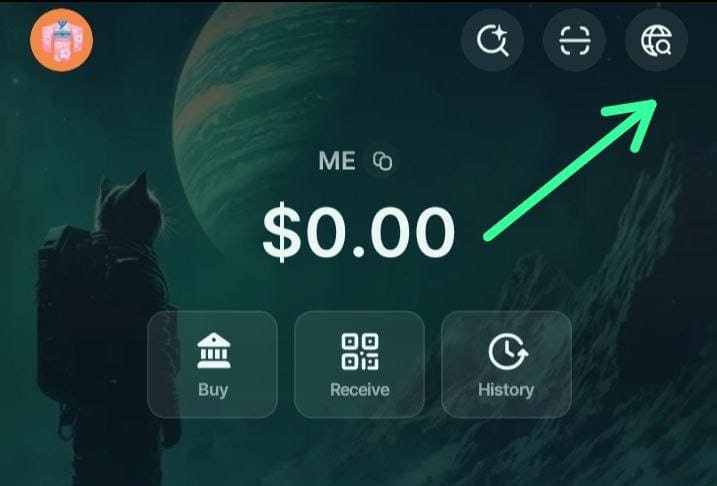
On the top right of your screen, click on Search icon
-
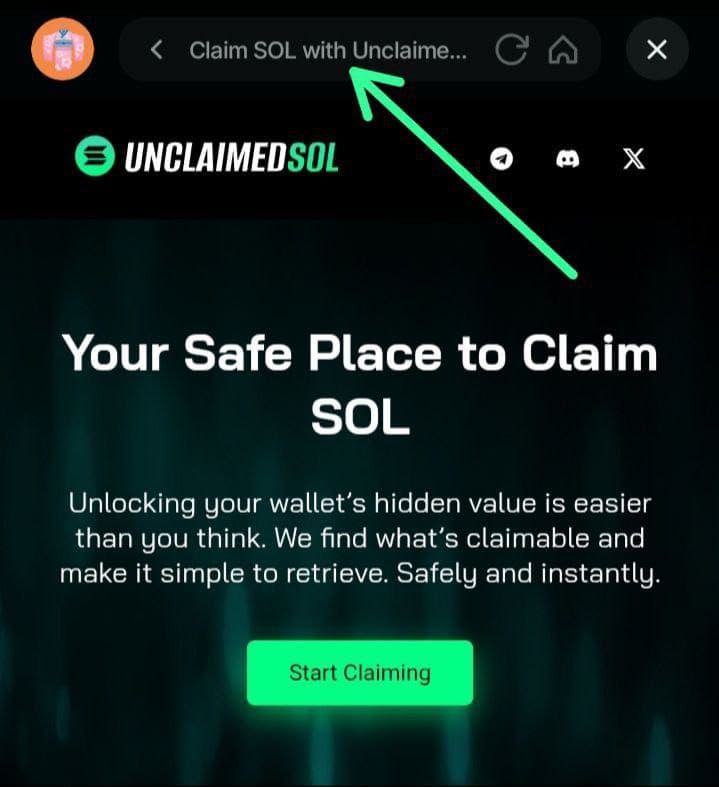
Make sure you have the official link to our website once your have put in the search bar, you click search
-
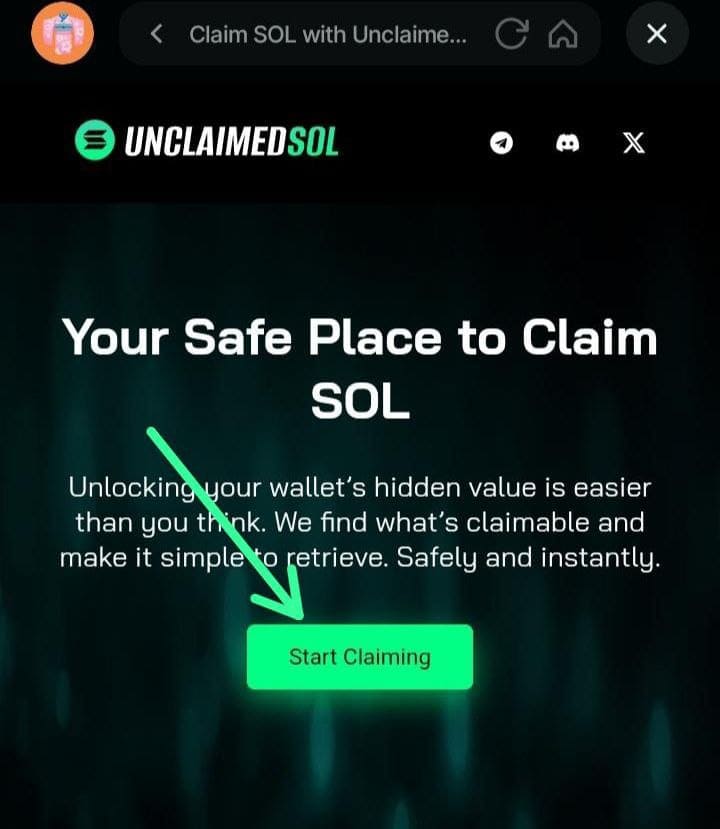
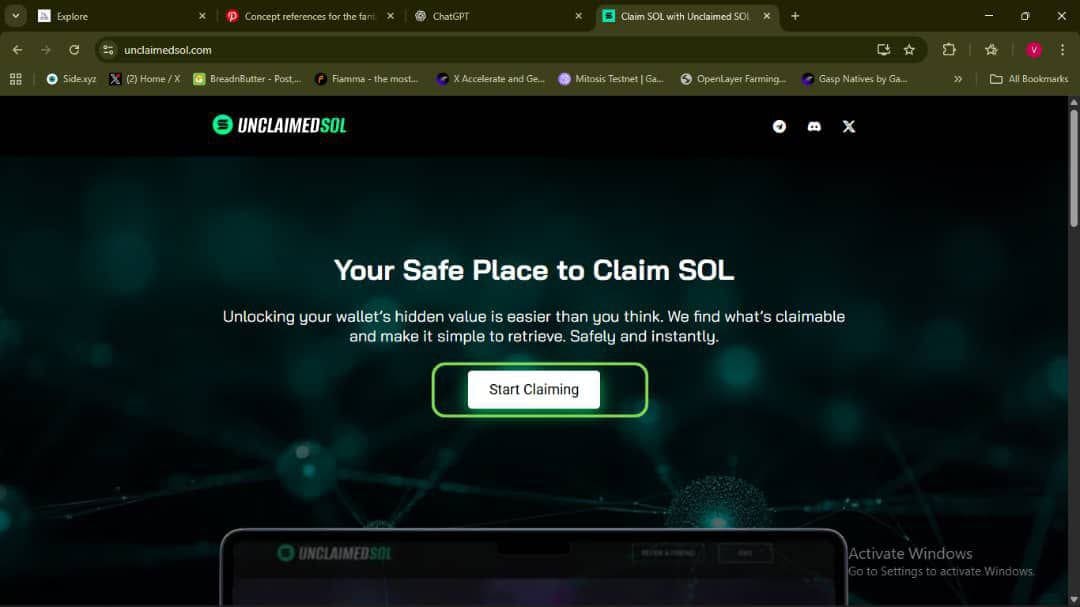
Once you're on this page, next click on start claiming
-
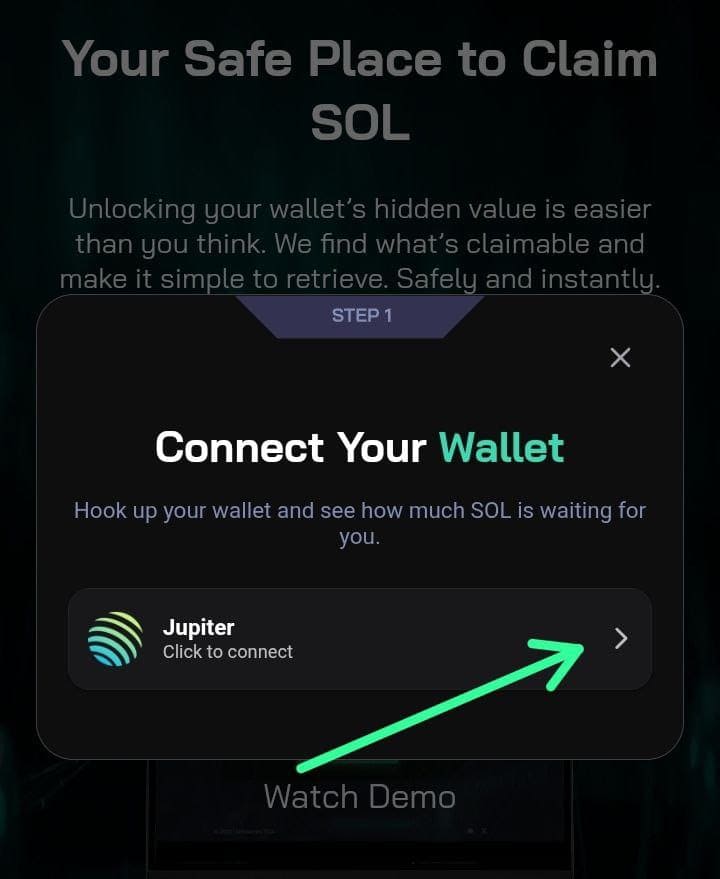
Click to connect wallet
-
Confirm to connect wallet by clicking CONFIRM
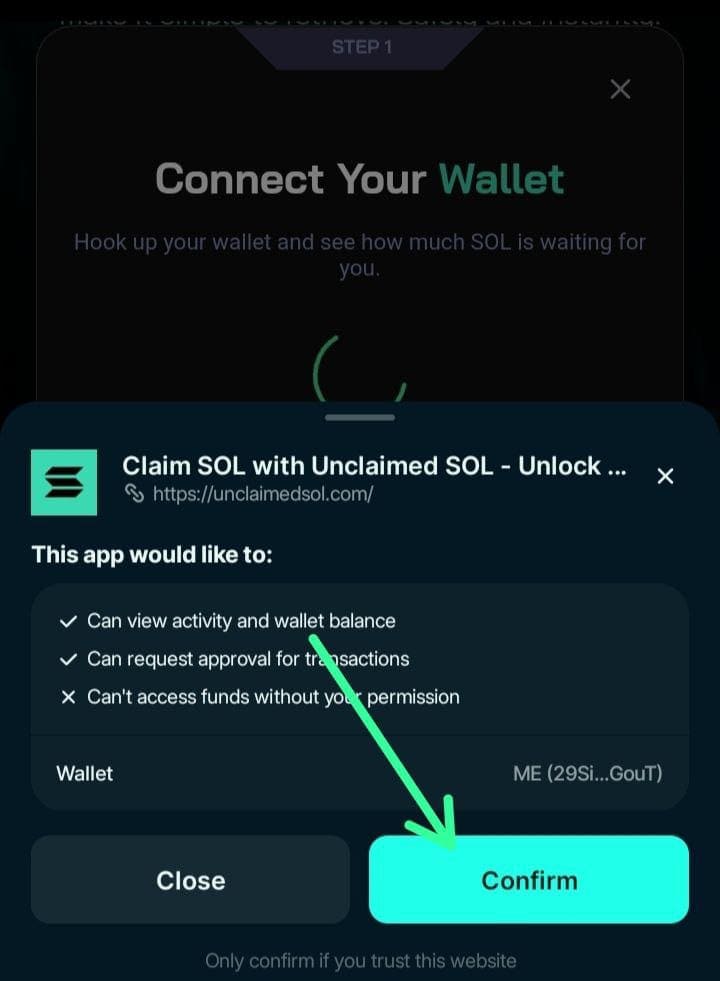
-
Once you have connected wallet successfully, click on check rewards
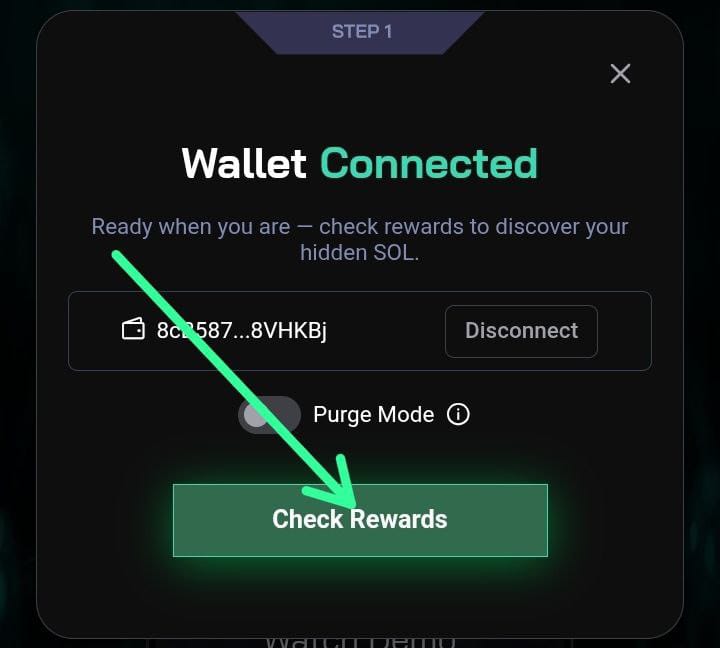
-
Purge mode: allows you to select dust tokens you wish to burn for solana
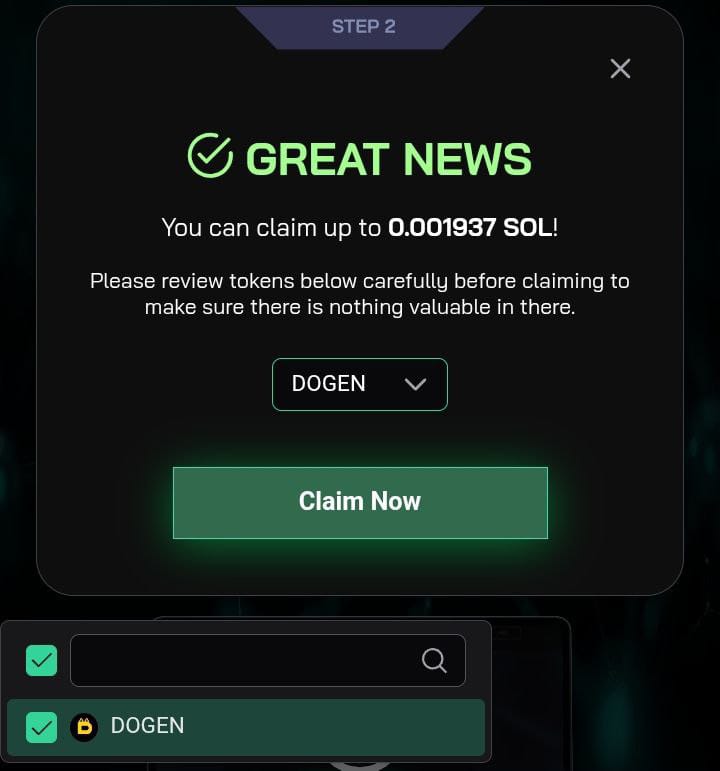
-
You have successfully claimed your Solana
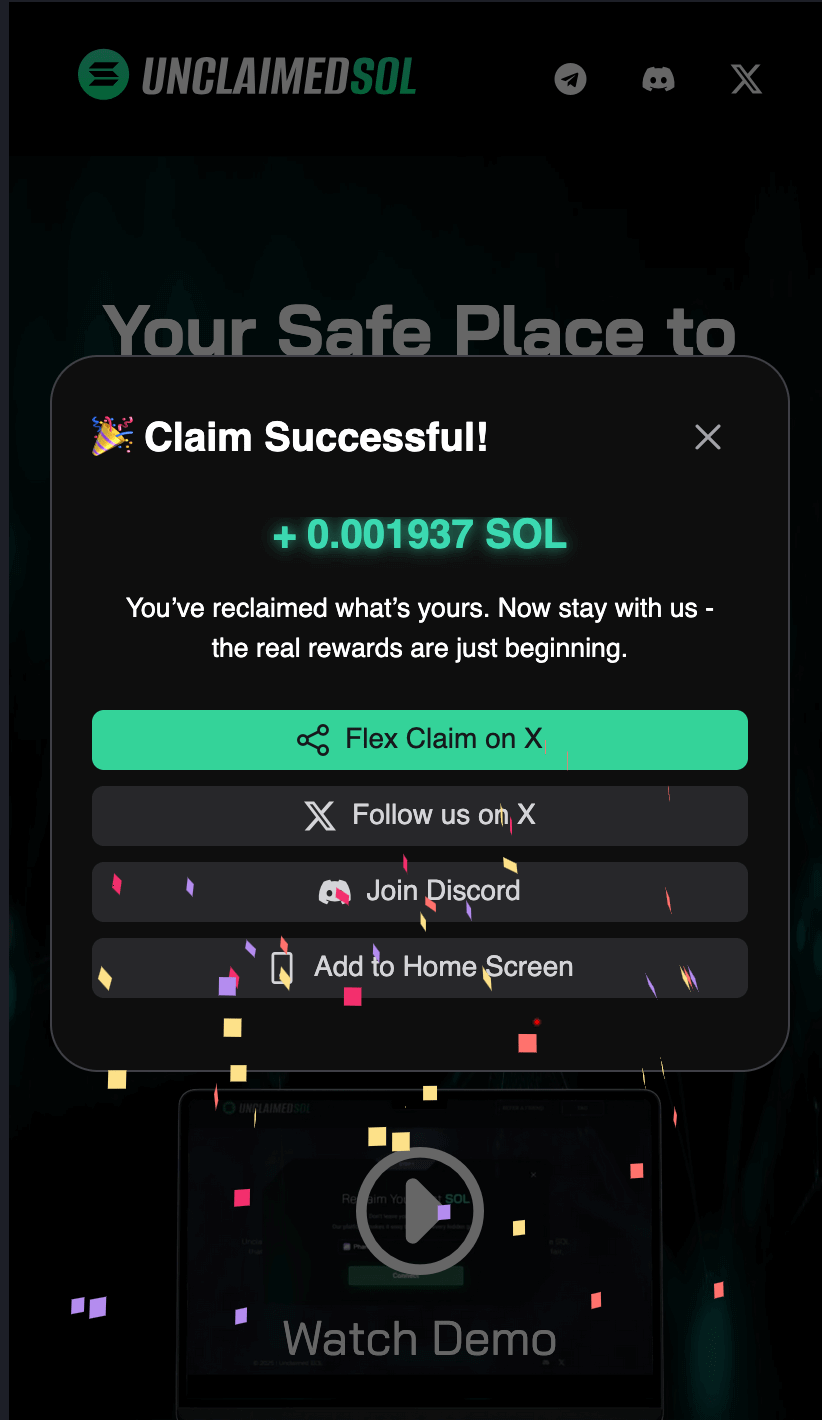

2. Browser Extension
-
Open on your browser and Click on start claiming
-
Connect your Jupiter wallet
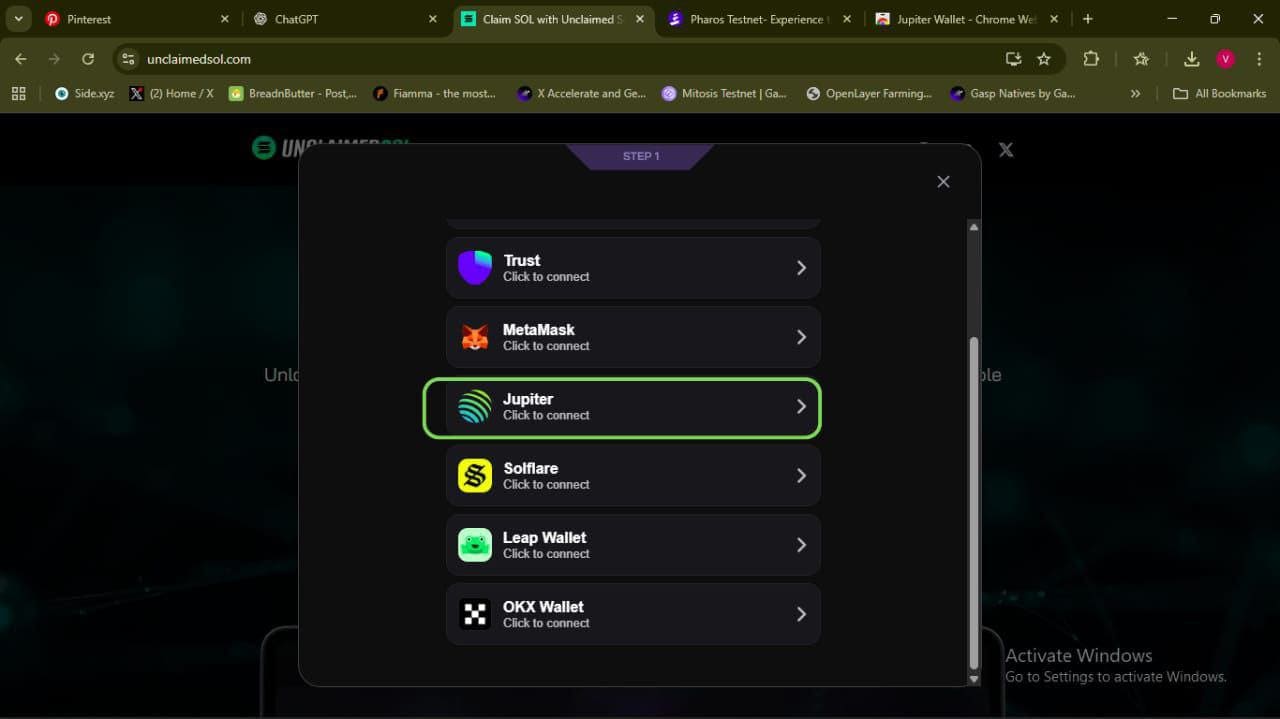
-
Connect wallet and confirm
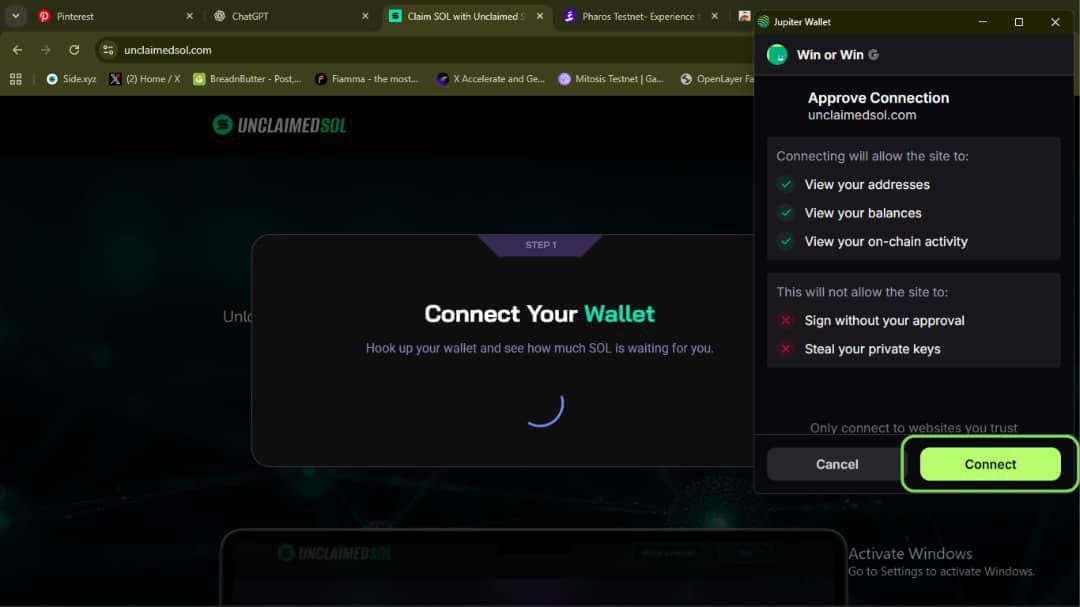
-
After wallet is successfully connected, click on "Check reward"
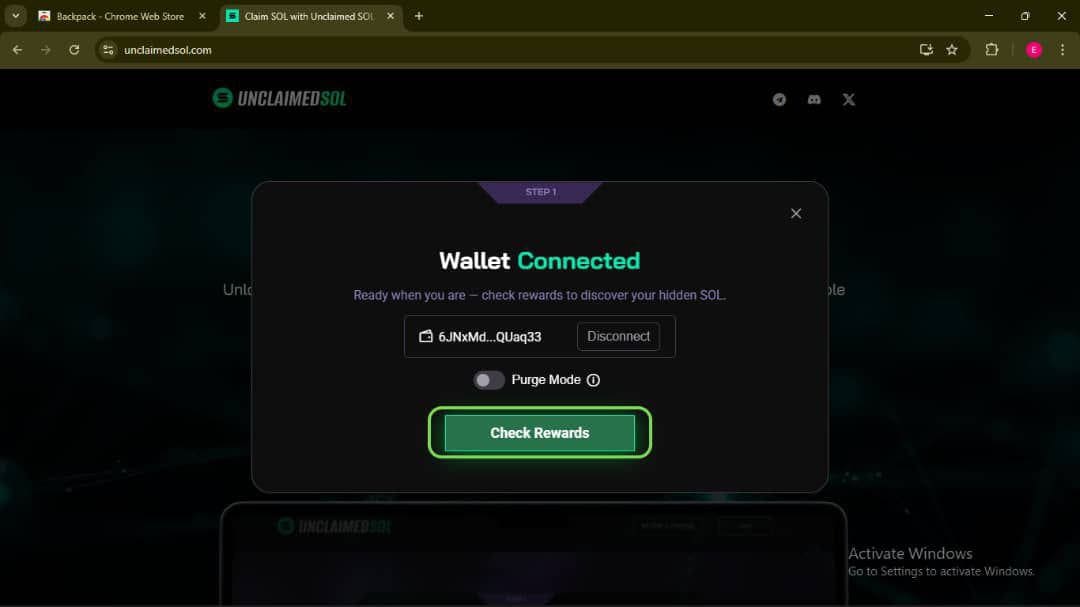
-
Claim successfully, you can use first command to flex you claim on X(twitter)
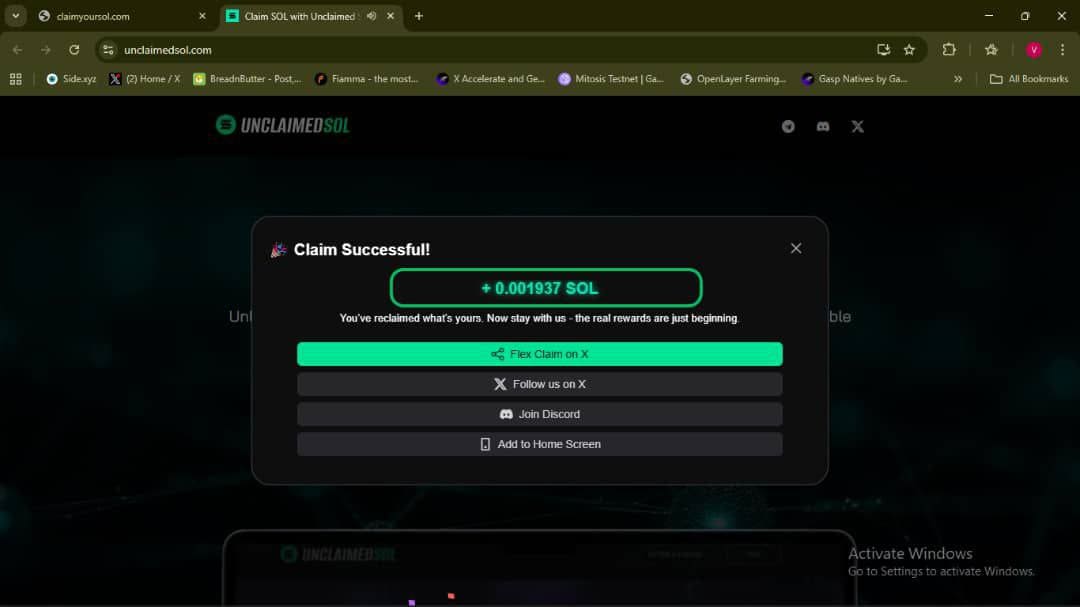
Next steps
Start in the main Unclaimed SOL claim flow when you're ready to connect Jupiter and scan for reclaimable SOL.
Before you confirm transactions, review the security and verification hub, claim fee breakdown, and Unclaimed SOL vs Sol Incinerator comparison. For common claiming questions, see the FAQ.
After claiming, verify the signature on Solscan and confirm your wallet balance updates.