
How to Claim SOL with Bonk
-
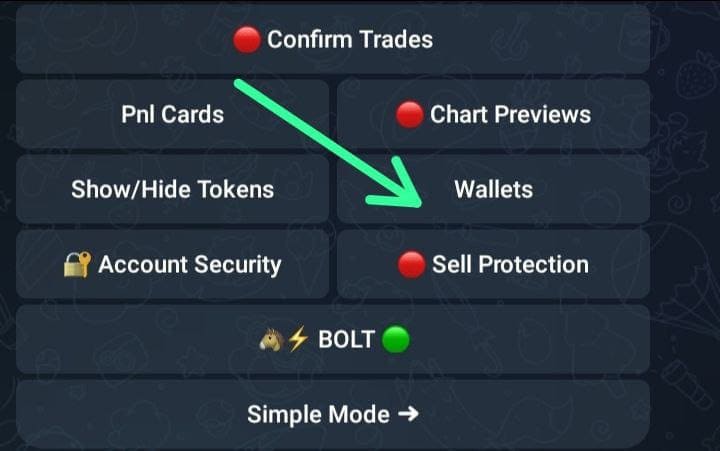
Open bonkbot and click /start and Click on wallets
-
Export private key
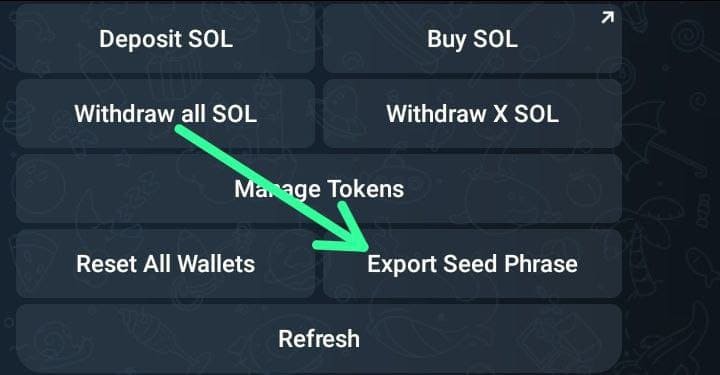
-
Once you have exported private key, head to Phantom wallet

-
Click on the top left icon to open setting and choose Manage Account then add account and import private key
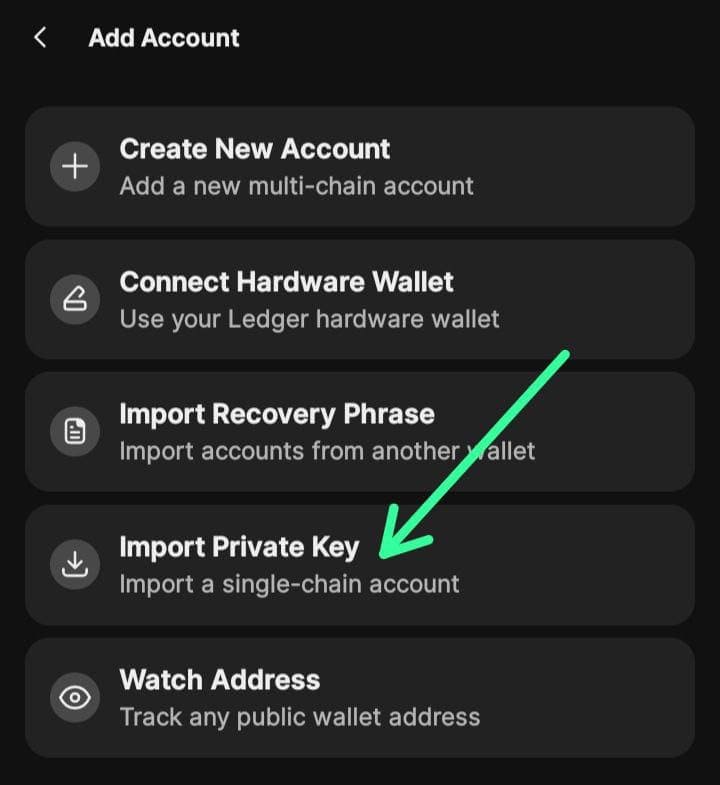
-
Paste the private key copied from bonkbot and import wallet
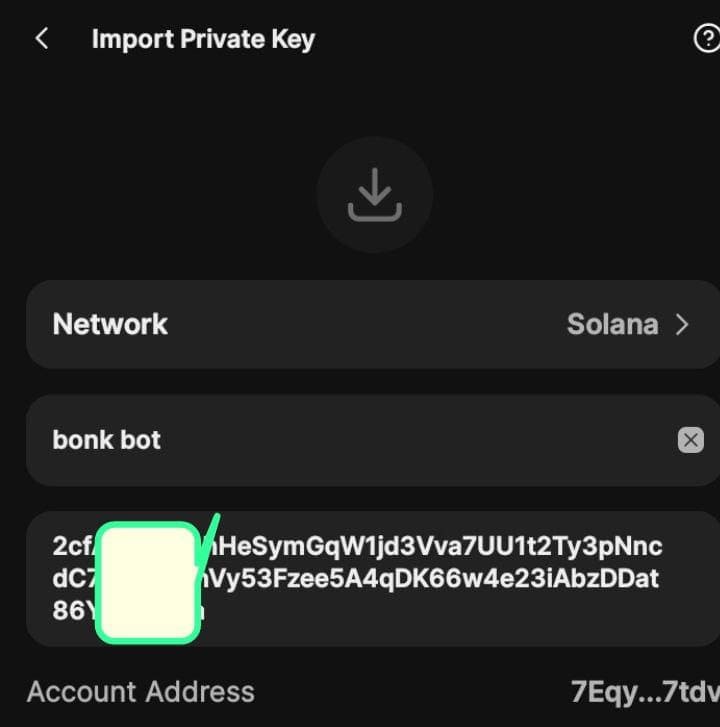
Once the import is done, you can go through Phantom Wallet Claim Process to complete the claim.